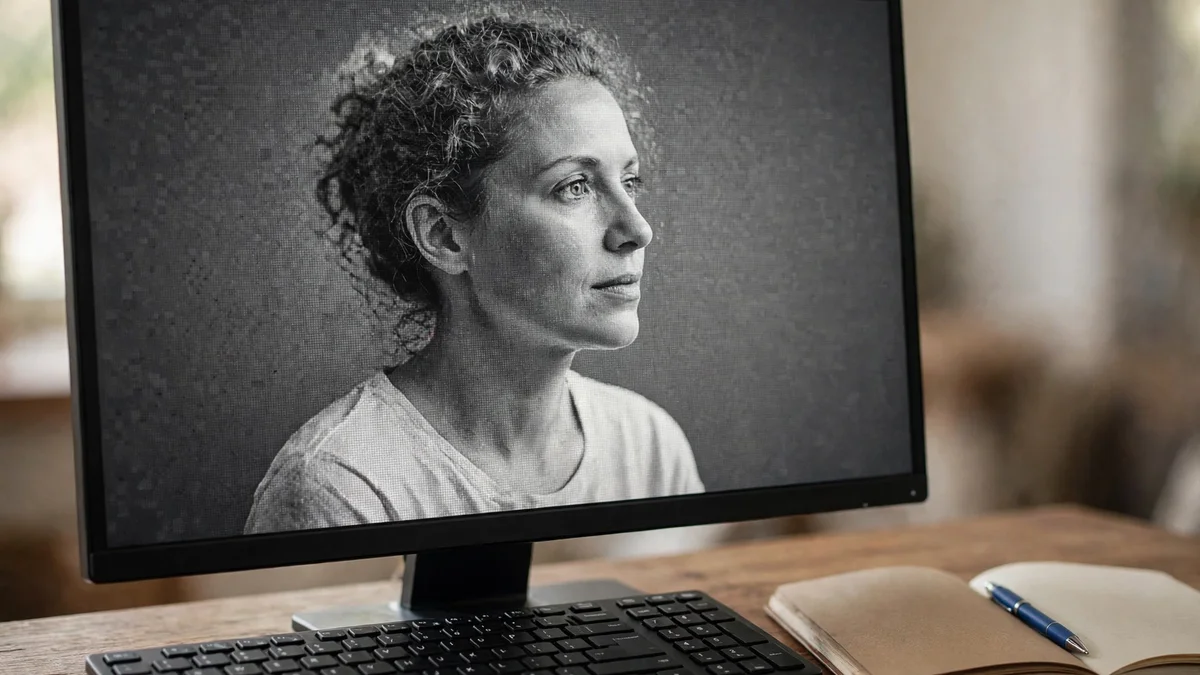

Bit planes are the hidden layers inside a digital image: one layer for each bit that makes up a pixel’s brightness. An ordinary black-and-white photo on a computer has eight of them, and the top layer carries almost the whole picture, while the bottom layer looks like random static. This guide explains what bit planes are, how they work, and why they matter for compression and security.
Key takeaways
- A bit plane is a layer of one bit from every pixel, and an 8-bit greyscale image has eight of them.
- The top plane, plane 7, carries the most significant bit and most of the visible picture.
- The bottom plane, plane 0, carries the least significant bit and looks like noise.
- Removing the lower planes barely changes how an image looks, which is useful for compression.
- Hidden messages can be stored in the lowest planes, a technique called steganography.
- A colour image has 24 bit planes: eight each for red, green and blue.
What a bit plane is
Start with a single pixel. In a greyscale image, each pixel’s brightness is stored as a number, and in the most common format that number uses eight bits, giving 256 possible shades from black (0) to white (255). The number 173, for instance, is stored as the binary digits 10101101. Now take just the first digit of every pixel in the image and lay those digits out as a black-and-white picture of their own: that is one bit plane. Do the same for the second digit, the third, and so on, and you get eight pictures, each one a single layer of the original.
The layers are numbered from the bottom up. Plane 0 holds the least significant bit, the digit that changes the brightness by just one step out of 256, and plane 7 holds the most significant bit, the digit that decides whether a pixel is in the bright half or the dark half of the range. Stack the eight layers back together and you get the original image, and nothing is lost. The Wikipedia page on bit planes sets out the idea and the maths behind it.
Why the top planes matter most
Not all planes are equal. The most significant bit decides whether a pixel is brighter or darker than the middle grey, so plane 7 alone already shows a recognisable version of the picture, in stark black and white. Stack the top four planes and the image already looks close to the original. The lower planes add only fine shading, the kind of detail you notice only when you look closely.
Plane 0 is the extreme case. Changing the least significant bit alters a pixel’s brightness by one step in 256, which the eye cannot see, and the plane itself looks like television static, with no recognisable shapes at all. That is why the lower planes are the first to go when an image is compressed or simplified: throw away planes 0 and 1, and the picture still looks the same to a human viewer, while the file gets smaller. It is also why the lower planes are useful for hiding information, since changing them does not change what anyone sees.
| Bit plane | Bit value | What it carries | What it looks like |
|---|---|---|---|
| Plane 7 | 128 | The most significant bit; bright or dark | A stark black-and-white version of the picture |
| Plane 6 | 64 | The next level of brightness | Recognisable shapes with more detail |
| Plane 5 | 32 | Mid-level shading | Close to the original at a glance |
| Plane 4 | 16 | Finer shading | Mostly detail, little structure |
| Plane 3 | 8 | Fine detail | Patchy shapes, hard to read |
| Plane 2 | 4 | Very fine detail | Mostly noise with faint shapes |
| Plane 1 | 2 | Tiny brightness changes | Almost pure noise |
| Plane 0 | 1 | The least significant bit | Random-looking static |

Bit planes in colour images
Colour images use the same idea, three times over. A typical colour photo stores each pixel as three numbers — one each for red, green and blue — and each number uses eight bits. That gives 24 bit planes in total: eight for red, eight for green and eight for blue. The top plane of each colour carries the broad strokes of that colour, and the bottom planes carry the fine detail, just as they do in greyscale.
The layering is also why colour images behave the way they do when they are compressed. A format such as JPEG does not store bit planes directly — it works in a different way, transforming blocks of pixels into frequencies — but the underlying idea is the same: the broad, important information is kept carefully, and the fine detail that the eye barely notices is the first thing to go. The screen itself works differently again: your monitor lights up red, green and blue subpixels for each pixel, and the pattern in the photograph above shows those subpixels at work. The heat damage guide for MacBook Pro screens covers what happens when a display itself is damaged.
Compression and why it works
The reason bit planes matter for compression is that the human eye is forgiving. You can throw away the bottom two or three planes of an 8-bit image and most viewers will not notice, because the change to any pixel is only a few shades out of 256. Throw away the top planes instead, and the picture falls apart at once. This uneven value is the insight behind many compression schemes: spend your data on the information that matters, and spend less on the information that does not.
Real compression formats are more sophisticated than simply deleting planes, but they use the same principle. They store the broad structure of the image precisely and the fine detail approximately, and they take advantage of the fact that neighbouring pixels are usually similar, so the difference between them can be stored cheaply. The result is a file a tenth the size of the original that looks the same on screen. The trade-off appears when you push it too far: the fine detail goes first, then the edges, and eventually the whole image breaks into blocks. Moving those files between devices is another step, and the USB-C to USB-A cable guide covers the connection.
Steganography: hiding data in the bottom plane
The most surprising use of bit planes is hiding information. Because changing the least significant bit of a pixel is invisible, you can replace plane 0 of an image with a secret message, one bit at a time, and the picture looks exactly the same. A photograph of a landscape can carry a text file, another image, or an encrypted message in its bottom plane, and nobody looking at it would know. The technique is called steganography, from the Greek for covered writing, and it is as old as the idea of invisible ink.
It is also the reason the bottom planes are sometimes called the noisy planes: they look random, so a hidden message blends in. The same property makes them useful for watermarking, where a hidden pattern proves who owns an image. The hiding is not perfect — anyone who knows to look can check the bottom plane — so serious users encrypt the message first, and the image becomes a locked box rather than a hiding place. Even so, the idea that a picture can carry a secret no one can see is the reason bit planes still fascinate people who work with images.
Bit planes in practice
If you work with images, you will meet bit planes in a few concrete places. Photo editors show them when you split an image into channels or posterise it, and the posterised look — flat areas of colour with hard edges — is what you get when you keep only the top few planes. Programmers meet them when they write code that processes images pixel by pixel, and medical imaging uses them too: a scan often stores twelve or sixteen bits per pixel, so a radiologist can see fine detail a normal display would throw away.
For everyone else, the idea is worth knowing because it explains something you see every day. When a photo looks fine on a small screen but falls apart when you zoom in, you are seeing the lower planes fail. When a heavily compressed image shows banding in a smooth sky, you are seeing the fine shading that was thrown away. The picture on your screen is not one picture but a stack of them, and the ones at the bottom are doing quieter work than you might expect. The same device does its quiet work in many other ways too, and the time and date calculator is one small example.
Your bit planes checklist
- Remember the stack: an 8-bit greyscale image has eight bit planes, one per bit.
- Start at the top: plane 7 carries the most significant bit and most of the visible picture.
- Expect noise at the bottom: plane 0 looks like static and changes nothing visible.
- Compress from the bottom: removing lower planes shrinks a file with little visible loss.
- Hide data in plane 0 if you need steganography, and encrypt it first.
- Count 24 planes for colour: eight each for red, green and blue.
- Check the top planes first when an image looks wrong: if they are damaged, the picture is too.
- Zoom in to see the lower planes at work in fine shading and smooth gradients.
What are bit planes?
Bit planes are the layers inside a digital image, one for each bit of a pixel’s value. An 8-bit greyscale image has eight planes, and stacking them back together gives the original image. The top plane carries the most visible detail, and the bottom plane looks like noise.
How many bit planes does an image have?
An 8-bit greyscale image has eight bit planes. A colour image with eight bits each for red, green and blue has 24. Medical images can have more: a 12-bit scan has twelve.
Which bit plane is the most important?
Plane 7, the most significant bit. It decides whether each pixel is in the bright or dark half of the range, so on its own it already shows a recognisable black-and-white version of the picture. The lower planes add only fine detail.
Why does the lowest bit plane look like noise?
Because the least significant bit flips with tiny changes in brightness that have no pattern: a pixel’s value can be odd or even for reasons that have nothing to do with the scene. Laid out as a picture, those bits look random, like television static.
Can you hide a message in bit planes?
Yes. Replacing the least significant bit of each pixel with a bit of a message is called steganography, and it does not change how the image looks. The message is invisible unless someone knows to check the bottom plane, so it is usually encrypted first.
Do bit planes affect image quality?
Yes, unevenly. Removing the lower planes barely changes how an image looks, which is why compression works, but removing the top planes destroys it. Banding in a smooth sky is a sign that the fine shading in the lower planes was thrown away.
The bottom line
Bit planes are the layers inside every digital image: eight of them in a greyscale photo, 24 in a colour one, with the top layers carrying the picture and the bottom ones carrying detail so fine the eye cannot see it. That uneven value is what makes compression work, what makes it possible to hide a message in a photograph, and what explains why a picture falls apart when you zoom in too far. Look at an image as a stack, and it makes a lot more sense.