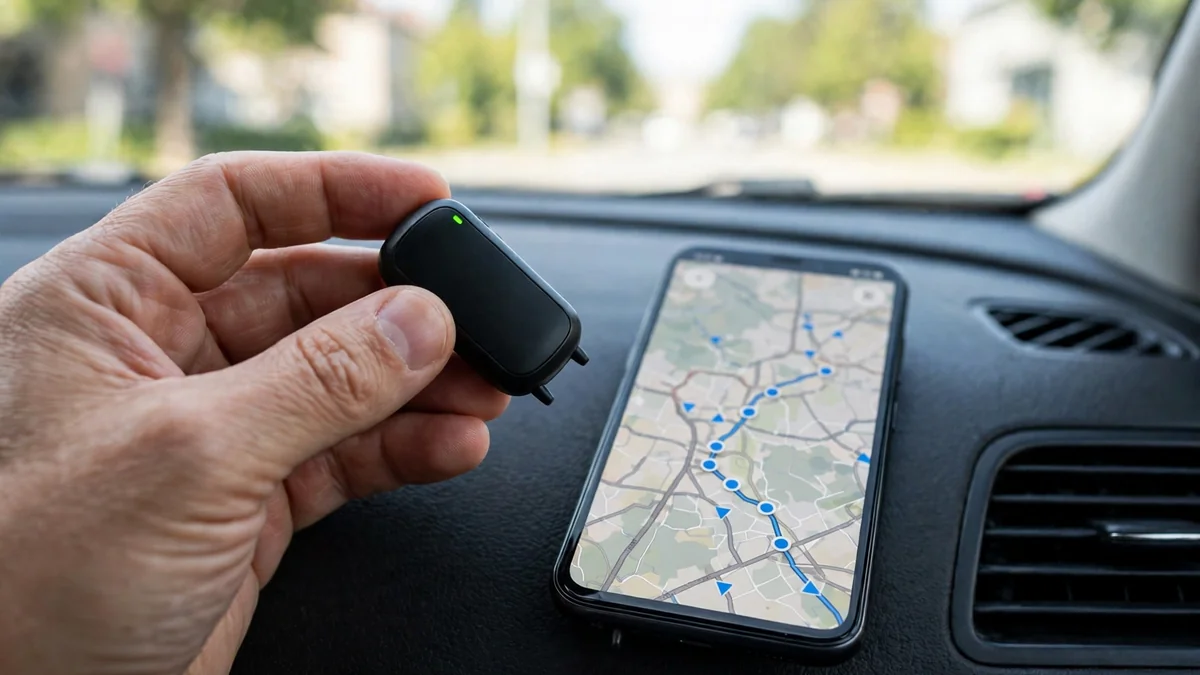

A GPS tracker is a small device that works out where it is and shares that location, so you can see a vehicle, a person or a piece of equipment on a map, either live or after the event. The question most buyers ask is a practical one: how does a tracker actually work, and which type suits the job you have in mind? The short answer is that it listens to signals from satellites to fix its position, then sends that position onward by mobile data, and the right type depends on what you are tracking, how often you need an update and how long the battery must last.
Key takeaways
- A GPS tracker fixes its position from satellite signals, then reports it by mobile data to an app or website.
- Real-time trackers show live movement; passive loggers store positions for download later.
- The main types are plug-in, hardwired, battery-powered portable and personal trackers.
- Common uses are vehicles and fleets, lone workers, older relatives, pets and valuable equipment.
- Battery life, update frequency, coverage and alerts matter more than size or looks.
- Tracking another person without their knowledge raises legal and privacy issues in most places.
How a GPS tracker works
A GPS tracker has two jobs, and it does them in turn. First it works out where it is, using the Global Positioning System, a constellation of satellites in orbit around the Earth that broadcast time signals. The tracker receives signals from at least four satellites and compares the tiny differences in when each signal arrived, a process called trilateration, to calculate its latitude, longitude and, roughly, its height. Outdoors with a clear view of the sky, that fix is usually accurate to within a few metres. The Wikipedia page on the GPS tracking unit describes the parts of a tracker and how they fit together.
The second job is to pass that position on. Most trackers contain a mobile data connection, like a phone, and send their location to a server at set intervals, where it is shown on a map in an app or a web page. That is what makes live tracking possible: the device reports, the server records, and the map updates. Some trackers also carry an accelerometer, which notices movement and lets the device sleep when nothing is moving, saving battery. A few can fall back on nearby mobile masts or Wi-Fi networks to give a rough position when the satellite signal is blocked, though that fix is much less precise.
The main types of GPS tracker
Plug-in trackers are the simplest for vehicles. They slot into the diagnostic port found under the dashboard of most modern cars, draw power from the vehicle, and start reporting as soon as the engine runs. They are easy to fit and easy to move between vehicles, which makes them a common choice for a family car or a small fleet. Their limit is that they only work while they are plugged in, and they are easy to find and remove, so they are not the best choice where discretion matters.
Hardwired trackers are fitted to the vehicle’s wiring, usually out of sight, and draw power from the battery, so they keep working even when the engine is off. They are the standard choice for fleets and for vehicles that must be tracked around the clock. Battery-powered portable trackers are the flexible option: a small box with its own battery that can be placed in a bag, a toolbox or a vehicle, and left for days or weeks depending on how often it reports. Personal trackers are smaller still, made to be worn or carried by a person or clipped to a pet’s collar, and they often add a button that sends an alert when pressed.
What GPS trackers are used for
The most common use is vehicles. A business with vans or lorries uses trackers to know where its vehicles are, to plan routes, to check that deliveries are on schedule and to recover a vehicle if it is stolen. A family might track a single car to keep an eye on a new driver, or to find the car in a large car park. In both cases the value is the same: a reliable record of where a vehicle has been, and a live view of where it is now. Our guide to how to check car fluids covers the kind of routine care that keeps a tracked vehicle on the road, and a tracker is only useful if the vehicle itself is well maintained.
People and animals are the other large use. Trackers are worn by lone workers, by older relatives who may need help, and by children on school trips, where the point is safety rather than surveillance. Pet trackers clip to a collar and show where a dog has wandered, and some can show whether the animal has left a set area. Equipment is a growing use too: tools, trailers, containers and hire equipment are fitted with trackers so they can be found if they are moved or stolen. In each case, the decision to track should be open and agreed with the people involved, and that question of consent matters more than any feature of the device.
GPS tracker types compared
| Type | Power | Best for | Main limit |
|---|---|---|---|
| Plug-in | Vehicle diagnostic port | Family cars, small fleets | Easy to find and remove |
| Hardwired | Vehicle battery | Fleets, around-the-clock tracking | Needs fitting by a professional |
| Battery portable | Own rechargeable battery | Assets, temporary jobs | Battery life falls with frequent updates |
| Personal | Own rechargeable battery | People, pets, lone workers | Small battery, needs regular charging |
| Passive logger | Own battery | Recording a route for later | No live view at all |

What to look for before you buy
Start with the update rate and the battery, because the two are tied together. A tracker that reports every few seconds gives a smooth live trail, but it drains its battery in hours; one that reports every few minutes can last for weeks. Think about what you actually need: a stolen-vehicle recovery calls for frequent updates, while a trailer that sits in a yard for a month needs the opposite. Coverage matters too: a tracker needs a mobile signal to send its reports, so check that the network it uses covers the places you will be, and remember that underground car parks, tunnels and thick buildings can block the satellite signal itself.
Then look at the alerts and the app. Geofencing, which sends a message when a tracker enters or leaves an area you have drawn on the map, is one of the most useful features, and it is worth checking how easy it is to set up. Speed alerts, low-battery alerts and movement alerts are useful in the same way, but only if the app presents them clearly. A tracker that needs a monthly service plan for its data connection is normal, so check what the plan includes and whether it can be paused. Our notes on a vehicle inspection make a similar point about checking the basics before you commit: the paperwork and the small print matter as much as the device. And if the tracker is for a car, remember that the phone system matters too, since the alerts arrive on your phone; our guide to the 941 area code is a reminder to keep your contact details current so those alerts reach you.
Privacy and the law
Tracking raises questions that no feature list can answer, and they are worth facing before you buy. In most places, tracking your own vehicle or your own equipment is straightforward, but tracking another person without their knowledge or consent is restricted, and in some places it is a criminal offence. The rules differ between countries and, in the United States, between states, so a general guide cannot give legal advice. The safe rule is simple: track what you own, get clear agreement from anyone you track, and tell people when a device is fitted to a vehicle they drive.
The same thinking applies to the data a tracker collects. A tracker’s history is a record of where someone has been, and that record is sensitive. Use a strong password on the account, turn on two-factor authentication where it is offered, and think about who else can see the account. A cheap tracker with weak security is a poor bargain, because a location history in the wrong hands is a serious matter. If you are buying for a business, put the arrangement in writing, with a clear policy on who can see the data and how long it is kept.
A checklist before you buy a GPS tracker
- Decide what you are tracking and how often you need an update.
- Choose the type that fits: plug-in, hardwired, portable or personal.
- Check battery life at the update rate you actually need.
- Check mobile coverage in the places the tracker will be used.
- Test the app and the alerts, including geofencing, before you commit.
- Check what the data plan includes and whether it can be paused.
- Get clear agreement from anyone whose movements will be tracked.
- Secure the account with a strong password and two-factor authentication.
Frequently asked questions
How accurate is a GPS tracker?
Outdoors with a clear view of the sky, a tracker is usually accurate to within a few metres. Accuracy falls in tunnels, underground car parks and between tall buildings, where the satellite signal is blocked, and a tracker may fall back on a much rougher fix from mobile masts or Wi-Fi.
Does a GPS tracker need a mobile signal?
Most trackers do, because they send their position onward by mobile data. Without a signal, a live tracker cannot report, though some models store positions and send them later when the signal returns. Passive loggers need no signal at all, since they only record.
How long does a GPS tracker battery last?
It depends on how often the tracker reports. A device reporting every few seconds may last hours, while one reporting every few minutes can last for weeks. Plug-in and hardwired trackers draw power from the vehicle, so battery life is not an issue for them.
Can a GPS tracker work without a subscription?
Some passive loggers can, since they store positions on the device and need no data connection. Live trackers normally need a data plan to send their reports, and that plan is usually charged as a service, so check what is included before you buy.
Is it legal to put a GPS tracker on a car?
Tracking a vehicle you own is generally straightforward, but the rules differ between countries and between states, and tracking another person without their knowledge or consent is restricted in most places. Check the rules where you live, and get agreement from anyone affected.
What is geofencing?
Geofencing is an alert that fires when a tracker enters or leaves an area you have drawn on a map. It is used to warn when a vehicle leaves a depot, when a pet leaves a garden, or when a person arrives at a destination, and it is one of the most useful features a tracker can offer.
The bottom line
A GPS tracker is a simple idea done well: a device that fixes its position from satellites and shares it, so you can see where something is and where it has been. The right choice comes down to what you are tracking, how often you need to hear from it and how long the battery must last, and the honest use of it comes down to consent and care with the data. Get those decisions right and a tracker is a quiet, practical tool; get them wrong and no feature list will save it.